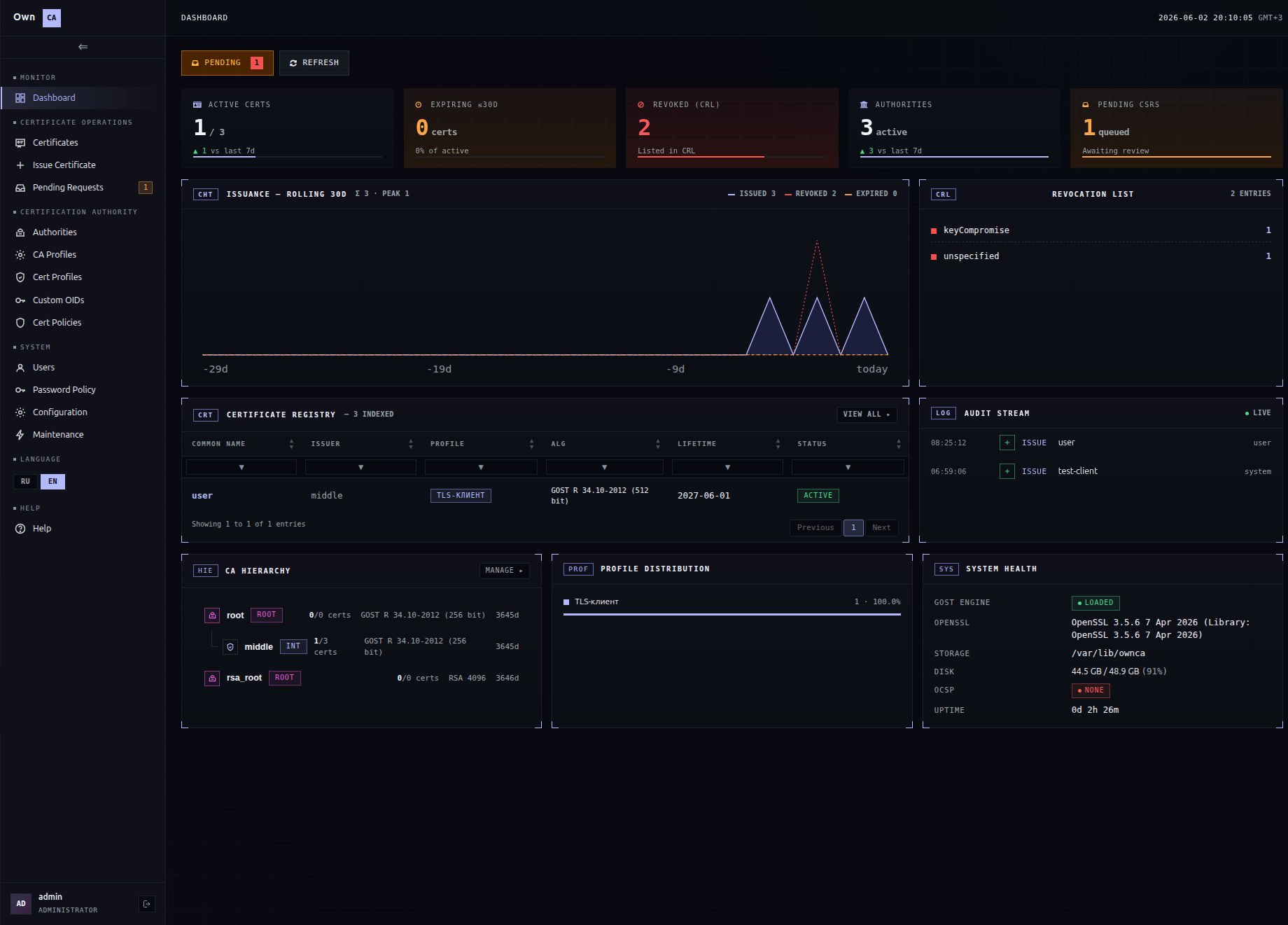
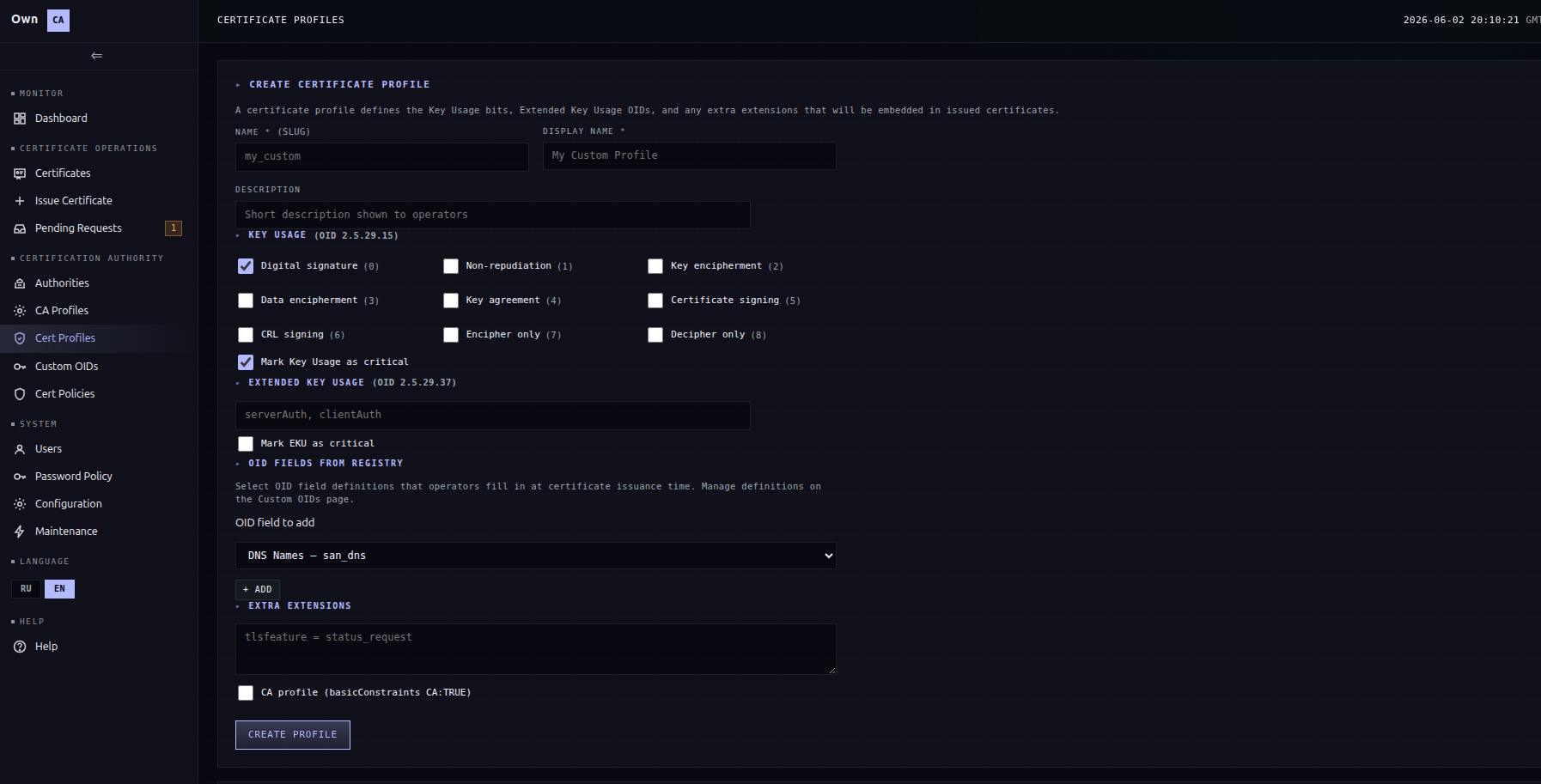
An enterprise CA for deploying PKI // RBAC · requests · PAT API · TOTP · OID/policy registries
The open edition of OwnCA is a single-user CA: issue and revoke certificates, CRLs, extension profiles, PFX export. The extended edition turns it into the foundation for company-wide PKI: role-based access, a request queue with operator approval, API token access, second-factor issuance (TOTP), dedicated Custom OID and Certificate Policy registries, plus qualified GOST profiles (Russian QES). Below is only what the open edition does not have.
From a single operator to enterprise PKI with RBAC.
Three roles: user / operator / admin
Every account gets a role. A user only submits requests, an operator issues and revokes, an admin manages CAs, profiles, registries and users. The role applies in the API too.
User management
Manage accounts and roles (users / operators / admins).
Assigned CAs
An operator has access only to the CA profiles explicitly assigned to them. An attempt to issue through an unassigned CA is refused.
Password Policy
A dedicated page in the System section with password-complexity rules for accounts — absent in the open edition, where System is limited to Configuration and Maintenance.
Allowed certificate profiles
Each CA gets its own list of allowed profiles: in the issue form the operator sees only those, and issuance with an unbound profile is rejected.
User action audit log
The log records account actions — sign-in, certificate issuance and revocation, CRL regeneration, changes to profiles, registries and CA settings — tied to the user, time and IP. Available to admins for incident review and oversight.
Users request — operators approve and issue.
User-submitted requests
The user submits a request: CN, algorithm, SAN, an optional CSR and a comment. CA and profile selection are hidden — the operator assigns them at approval.
Operator queue
Operators and admins see the request queue filtered by status (pending / approved / rejected). A pending request opens as the full issue form, prefilled with the request data.
CSR import in the request form
CSR import with field auto-fill and a loading banner works in the user request too — identical to the operator page.
Personal Access Token — automation without a browser.
API access is off by default and is enabled by an admin for a
specific user. The user issues their own token in their profile
(one per account, stored as a hash, plaintext shown exactly
once). Requests carry an
Authorization: Bearer ownca_pat_… header; the token
inherits its owner's role and keeps their IP restrictions.
API ACCESS panel
An admin enables API for a user with a single toggle. Disabling it automatically revokes the user's issued token.
Generate / Regenerate / Revoke
The user manages their own token from their profile. A short prefix stays visible in the UI for identification, and the last-used time updates on every call.
OTP and network restrictions.
OTP-gated issuance and TOTP in the profile
In the settings, an admin can turn on mandatory OTP. When set, selecting that CA in the issue and approval forms reveals an OTP code field, and issuance without a valid code is refused. The user sets up and confirms TOTP (for example, with an authenticator app) in their profile.
Per-user IP restrictions
An allowed-subnet list is set per user and applies to both browser sessions and API calls — requests outside the allowed subnets are rejected regardless of token validity.
Strict "profile+form > CSR" priority
Extensions from an imported CSR (basicConstraints, KU, EKU, SAN) are dropped by force. Only the Subject from the CSR, SAN from the form and the selected profile's extensions land — a "hostile" CSR with CA:TRUE does not leak through.
Dedicated pages to manage OIDs, policies and QES profiles.
Custom OIDs registry
A dedicated page (admin) manages OID/SAN field definitions: OID, display name, ASN.1 type and where the value is placed. Built-in set: DNS, IP, Email, URI, UPN, SNILS, INN, OGRN, OGRNIP.
Certificate Policies registry
A dedicated page (admin) manages policies for the certificatePolicies extension: OID, a link to the CPS document and notice text. Built-in policies: QES individual / org / sole proprietor.
Personal theme
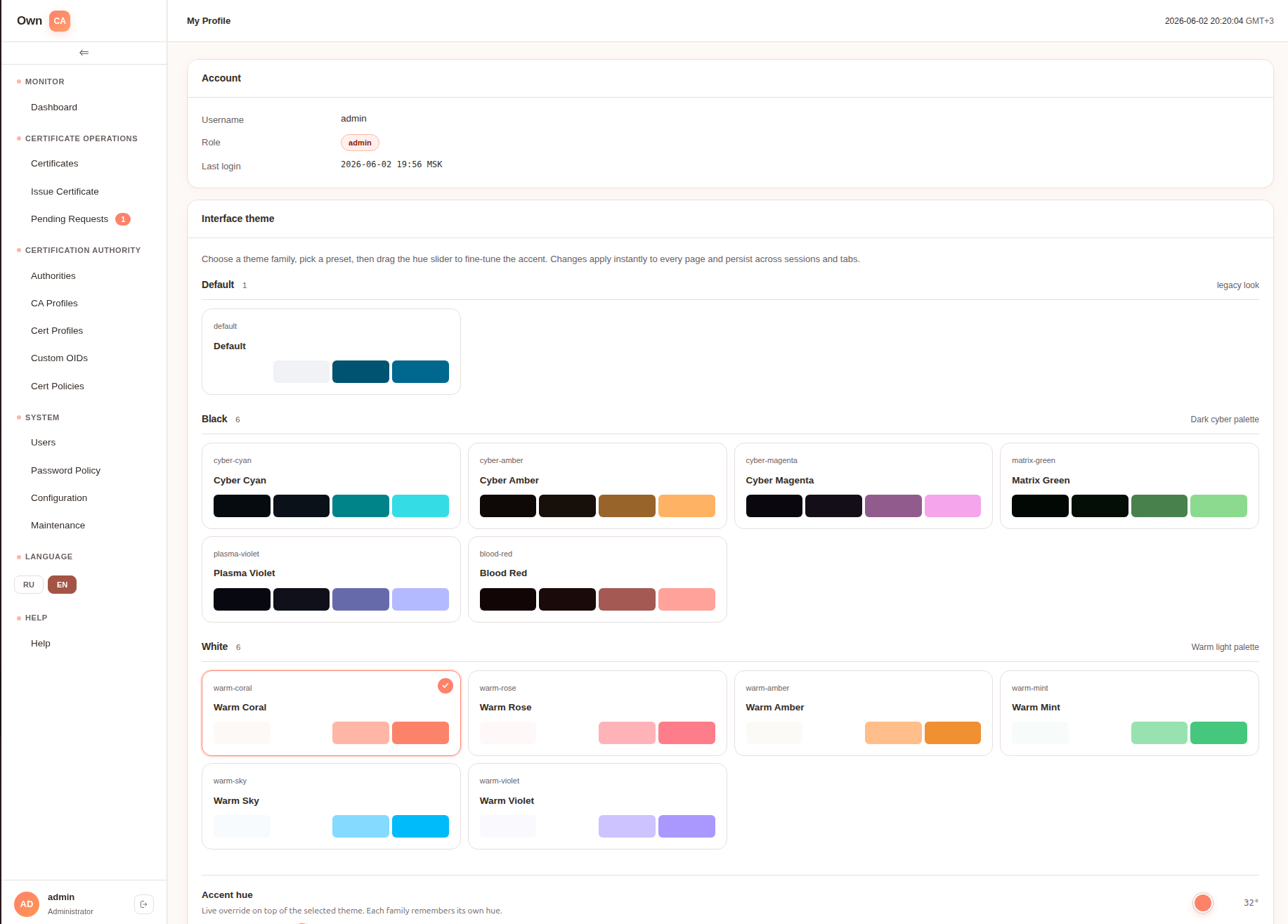
In the user profile — a choice of three theme families (Default / Dark / Warm) with a hue slider; the setting is kept per user.
The open edition is the baseline. The extended one is the foundation for an enterprise CA.
The extended edition adds management of users, the issuance process and automation, roles, requests, API tokens, OTP and audit.
The extended edition is available on request. To get it, email cats.who.play@gmail.com